
Over time, the Windows registry can become cluttered with invalid, outdated, or broken entries left behind by uninstalled programs, system updates, and driver changes. While these issues are usually invisible, they can sometimes lead to system errors, slower performance, or software conflicts. Using a trusted tool like CleanMate provides a safe and controlled way to clean up the registry on Windows 11 and Windows 10.
Why You Need to Clean Up the Registry
The Windows registry acts as a central database for system and application settings. When unnecessary entries accumulate, they can affect system stability and efficiency. Cleaning the registry helps maintain a healthier Windows environment.
Benefits of cleaning up the registry include:
- Removing invalid or broken entries left by uninstalled software.
- Reducing the risk of system errors and application conflicts
- Improving overall system stability and responsiveness
- Preventing registry bloat from outdated settings
- Keeping Windows configuration data organized
How to Safely Clean up Registry on Windows 11/10 with CleanMate
Step 1: Download and install CleanMate app on your Windows PC or laptop.

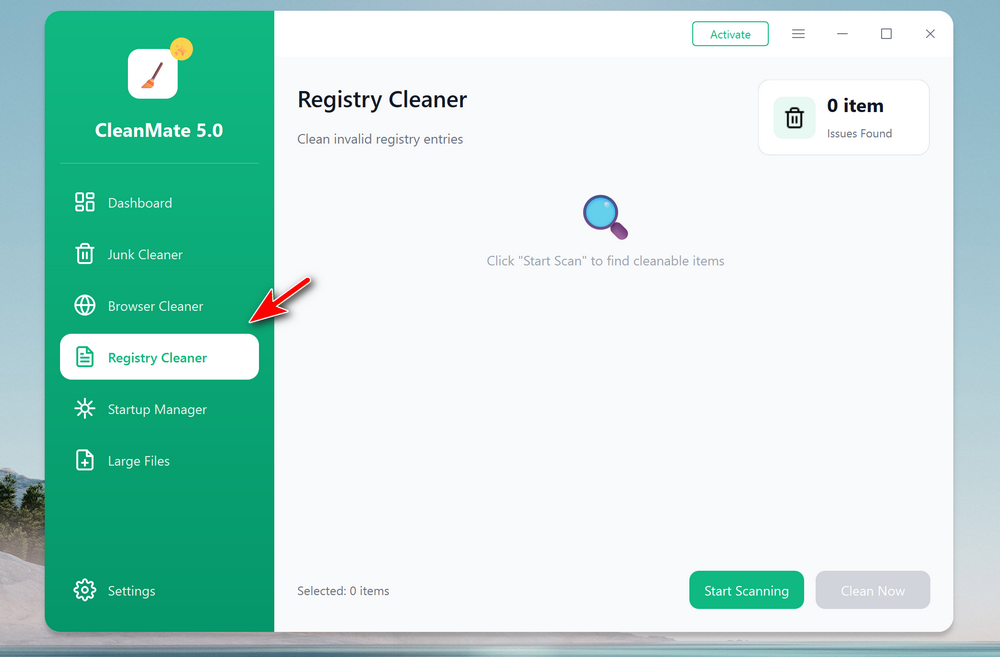
Step 2: Open the CleanMate app on your computer and click the Registry Cleaner menu from the left sidebar. From the new window, click the Start Scanning button to have a full sacan of the computer.
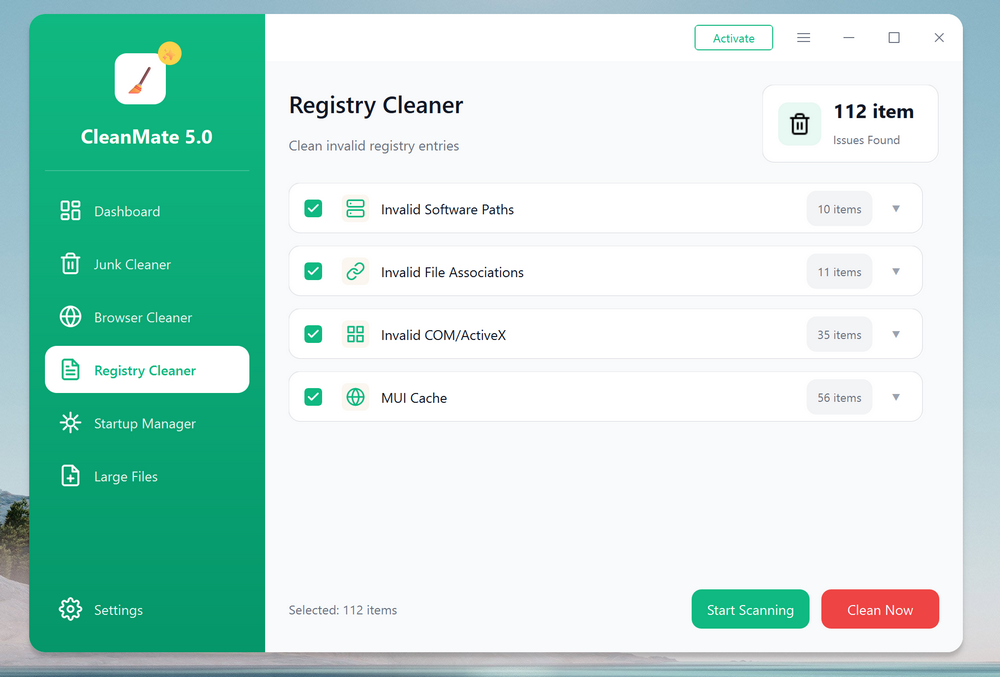
Step 2: Wait about 2-3 minutes, the scan result will be present on the screen. The total amount of cleanable items is listed the upper right corner. Please select the items you want to clean up.
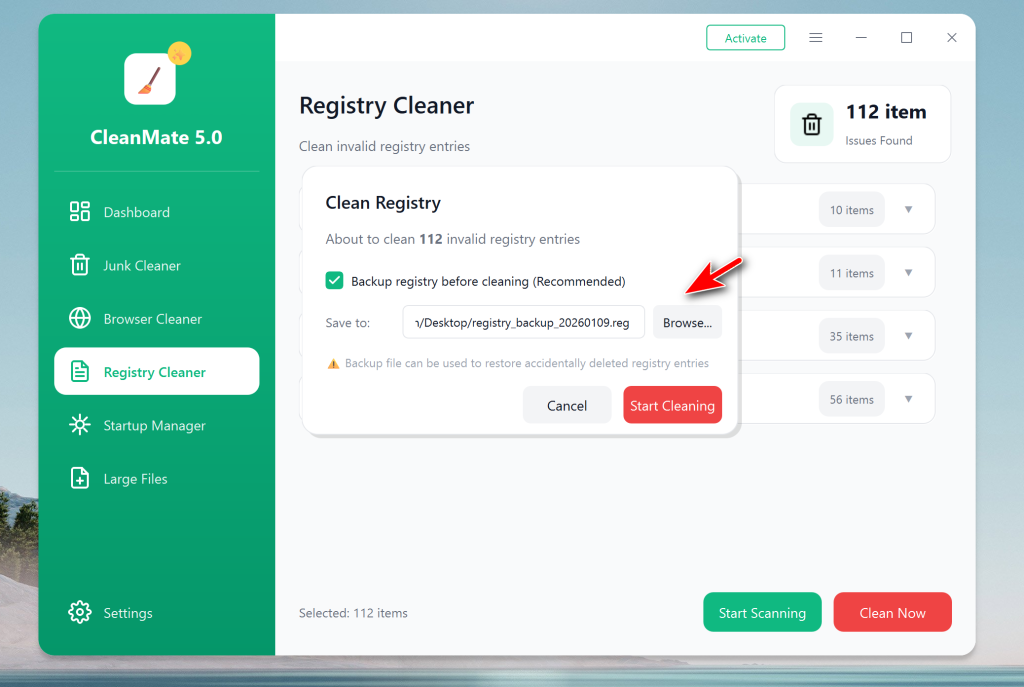
Step 3: After selection, click the Clean Now button. At this time, the app will ask you to choose a folder to have a backup of the current registry. You can click the Browse button to select a folder for backup.
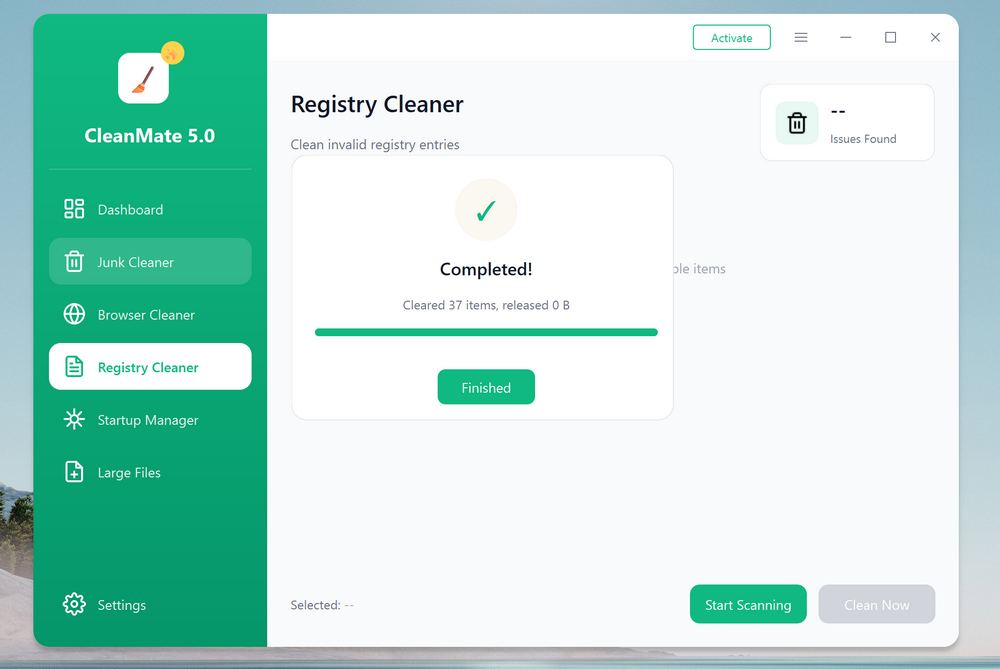
Step 4: After selection, click the Start Cleaning button to clean up the whole registry on this computer.
Summary
Cleaning up the Windows registry does not have to be risky or complicated. With CleanMate, you can safely scan and clean invalid registry entries while keeping a secure backup in place. Regular registry maintenance using CleanMate helps keep Windows 11 and Windows 10 running smoothly, stable, and free from unnecessary clutter.