
Over time, Windows 11 and Windows 10 computers collect large amounts of cache files and junk files from the system, apps, and browsers. While these files are meant to speed things up temporarily, they often pile up, waste disk space, and even slow down your PC. Using a dedicated cleaner like CleanMate makes clearing computer cache simple, safe, and effective even for beginners.
Why Using CleanMate for Cleaning Computer Cache and Junk
CleanMate is designed specifically to remove unnecessary cache files without harming important system data. It can clean system caches, app caches, Windows temporary files, and browser caches in one scan, saving time compared to manual cleanup. Unlike risky manual deletion, CleanMate clearly shows what will be removed and uses safe cleaning rules, making it ideal for regular cache maintenance on Windows 11 and Windows 10.
All-in-one cache and junk cleaning – Clean system cache, app cache, junk files, Windows temporary files, and browser cache in one scan.
Safe cleaning rules – Remove only unnecessary cache files without touching important system data.
Clear scan results – Show exactly what will be cleaned and how much space can be freed before you confirm.
User-friendly design – Simple interface makes cache cleanup easy for all users.
Support Windows 11 and 10 – Fully optimized for modern Windows systems.
Time-saving process – Cleans multiple cache locations at once, faster than manual cleanup.
How to Clean Computer Cache and Junk on Windows 11/10 with CleanMate
Step 1: Open the CleanMate app on your computer and click the Junk Cleaner menu from the left sidebar.

Step 2: Launch CleanMate and open the Junk Cleaner feature.
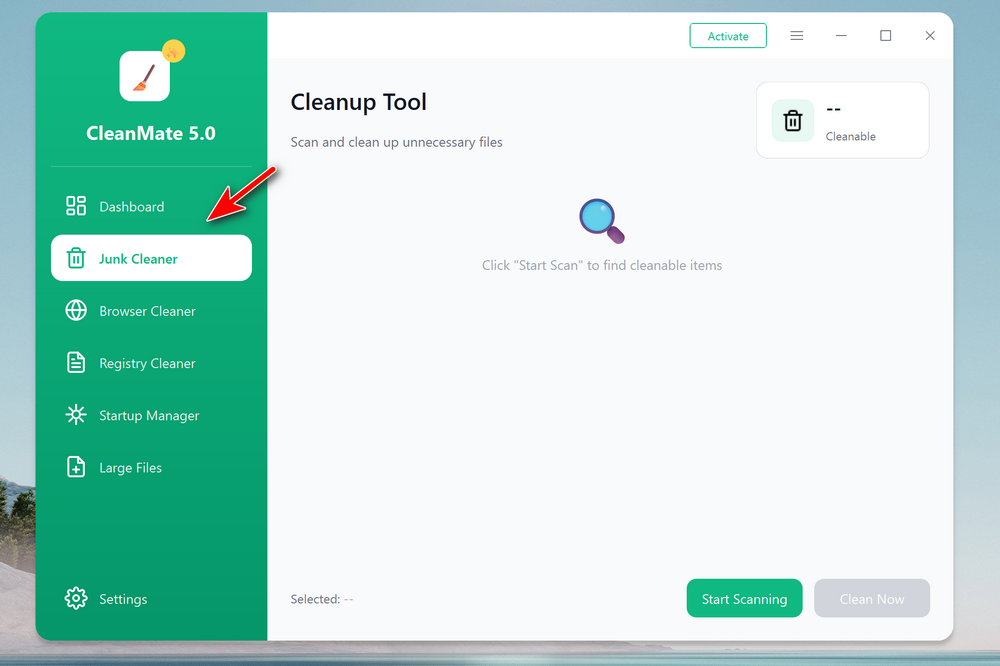
Step 3: Click Start Scanning to detect system cache, app cache, temporary files, and other junk files. Review the scan results to see how much cache space and junk can be freed.
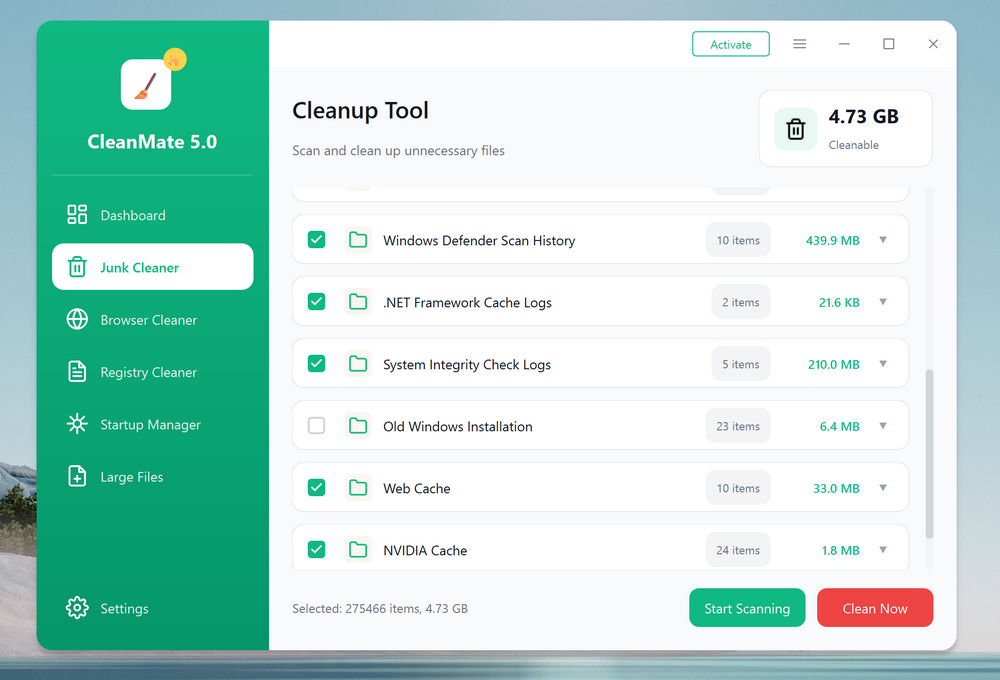
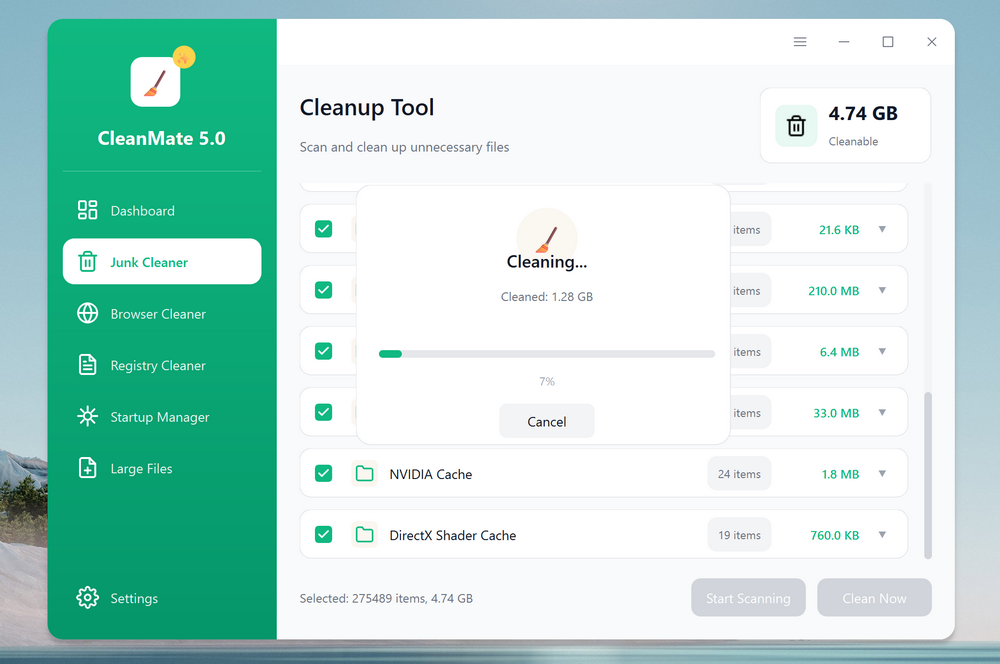
Step 4: Click Clean Now to safely remove all detected cache and junk files.
Conclusion
Cleaning computer cache & junk regularly is an easy way to keep Windows 11 and Windows 10 running smoothly. With CleanMate, the entire process takes just a few clicks and eliminates the risks of manual file deletion. By using CleanMate consistently, you can free up storage space, reduce system clutter, and maintain better overall PC performance.